Expressvpn Glossary
IP SLA

IP Service Level Agreement (IP SLA) is a Cisco feature that measures network performance by sending test traffic across the network. A router or switch sends these tests to a destination and records the results. Key metrics it can measure include response time, latency, jitter, packet loss, and service availability.
How does IP SLA work?
IP SLA runs scheduled tests from a Cisco device to a defined destination and records the results. This is known as active monitoring, because the device generates its own traffic instead of relying on real user activity. The destination can be another Cisco device or any reachable IP address.
When the destination is a Cisco device, it can run a software component called the IP SLA Responder. The Responder timestamps each packet on arrival and again before sending it back. This allows the source device to measure delay more precisely than basic tools like ping.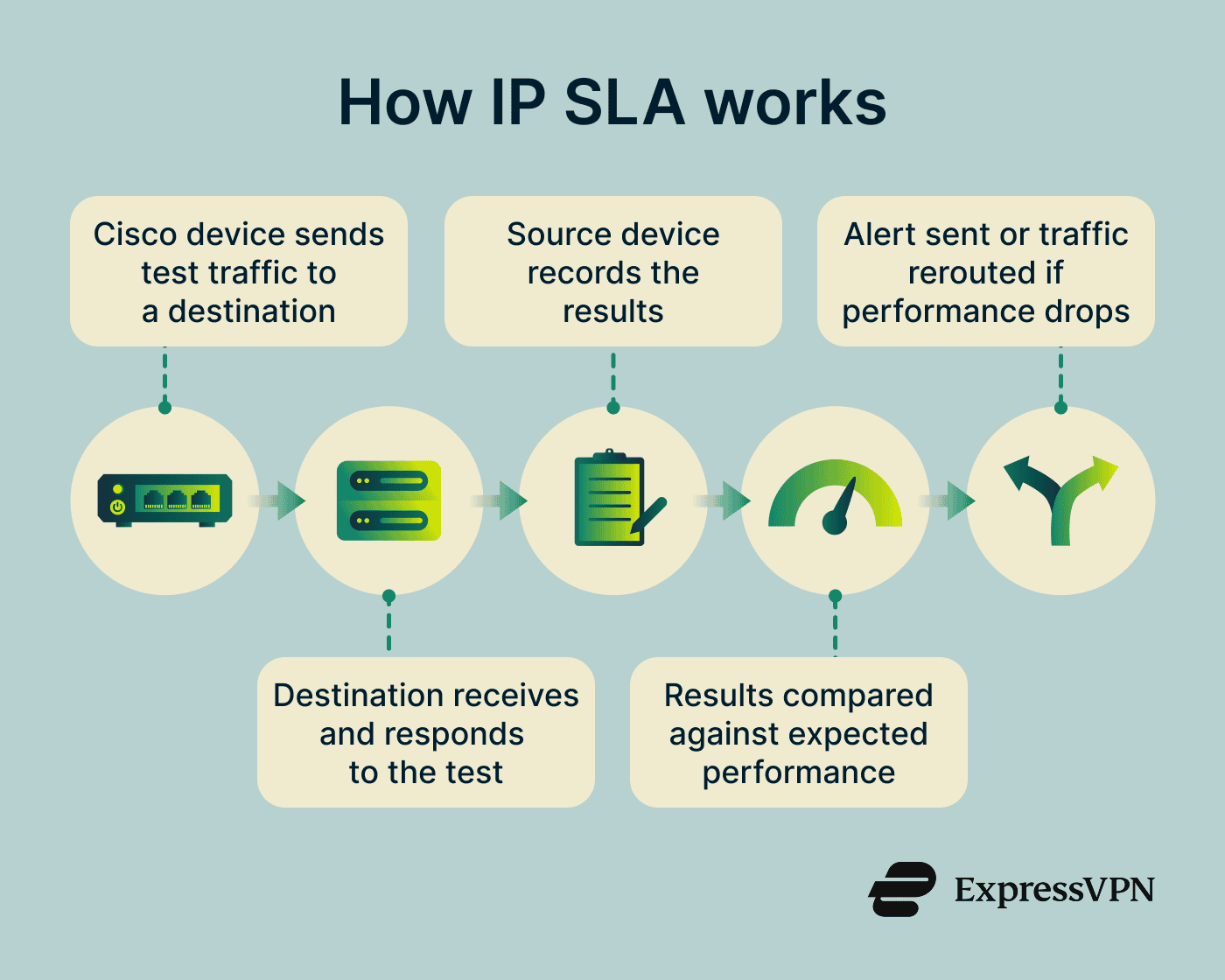
Administrators set up each test by choosing what to check, where to send it, and how often it should run. They also define what counts as normal performance. The device runs these tests automatically and stores the results. If results fall outside the expected range, IP SLA can send an alert. It can also be used with network settings to send traffic over a backup path when performance drops.
Types of IP SLA operations
There are several types of IP SLA operations, including:
- Internet Control Message Protocol (ICMP) echo: Sends a ping to check whether a destination is reachable and how long a round-trip takes.
- User Datagram Protocol (UDP) jitter: Measures variation in packet delay, one-way latency, and packet loss across a network path.
- Transmission Control Protocol (TCP) connect: Tests whether a connection can be opened to a specific service on a destination using a defined port.
- HTTP: Sends a request to a web server and measures how long it takes to connect and retrieve a response.
- Domain Name System (DNS): Sends a domain name resolution query to a DNS server and measures how long the server takes to return an answer.
Why is IP SLA important?
IP SLA gives network teams an ongoing picture of network conditions. Because tests run at regular intervals, it can detect problems like gradual increases in latency or intermittent packet loss that a single check might miss.
It can also trigger automatic responses when performance drops below acceptable levels, such as rerouting traffic to a backup path. The data it collects can be used to verify whether agreed service levels are being met and to support troubleshooting.
Where is IP SLA used?
IP SLA is used in a variety of settings, including:
- Enterprise-wide area network (WAN) monitoring: IP SLA is used to monitor whether WAN links remain stable and available over time.
- Voice over IP (VoIP) and unified communications: IP SLA is used to monitor network conditions on paths that carry real-time communication.
- Software-defined wide area network (SD-WAN) path selection: IP SLA provides performance data that helps SD-WAN systems choose which path to use at any given time.
- Internet service provider (ISP) service verification: Organizations use IP SLA to check whether their agreed performance standards are being met.
Risks and limitations
IP SLA measures the behavior of test traffic, not actual user traffic. If tests take a different network path or are handled differently from normal traffic, the results may not match user experience.
Misconfigured operations can also produce misleading data. Each test has a time limit for receiving a response; if that limit is too short, responses that are slightly delayed but still normal may be recorded as failures.
Acceptable performance levels also need to match actual network conditions. If they’re too strict, normal variation may be flagged as a problem. If they’re too loose, degradation may not be detected.
IP SLA data can also reveal details about internal network structure, such as which paths are used and how quickly services respond, which can pose a privacy risk if access isn’t tightly controlled.
Further reading
- What is packet loss? Everything you need to know
- What is network jitter, and how does it impact internet performance?
- How to ping an IP address
- How to fix packet loss for a stable connection